How to Use
Drop-in (Pay-as-you-go)
Monthly Membership
Shared Office
Meeting Room
Communication Area Private Rental
Free Drinks
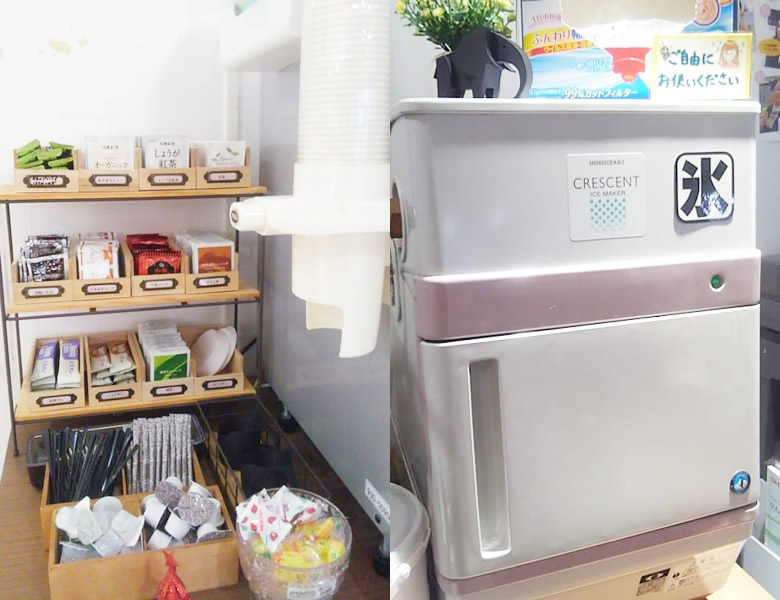
Enjoy all-you-can-drink tea, coffee, sparkling water, juice and more.
-
STEP1
Usage
Paper cups, cup holders, ice, stick sugar, syrup, creamer, stirrers and disposable chopsticks are provided.
There is also a microwave and an oven toaster next to the reception.- The types of free drinks may change without notice.
Types of free drinks
- 《Georgia》Soft Espresso (hot), Italian Blend (hot), Iced Coffee, Hot Water
- 《Coca-Cola》Kirameki (oolong tea), Sokenbicha, Coca-Cola, Coca-Cola ZERO, Ginger Ale, Real Gold, Fanta Melon, Aquarius
- Sparkling water, water
- 《Tea bags & powdered》Drink of the month, Milk Tea, Cocoa au lait, Organic tea, Ginger tea, Chinese soup, Onion soup, Clear soup, Green tea, Roasted green tea, and more
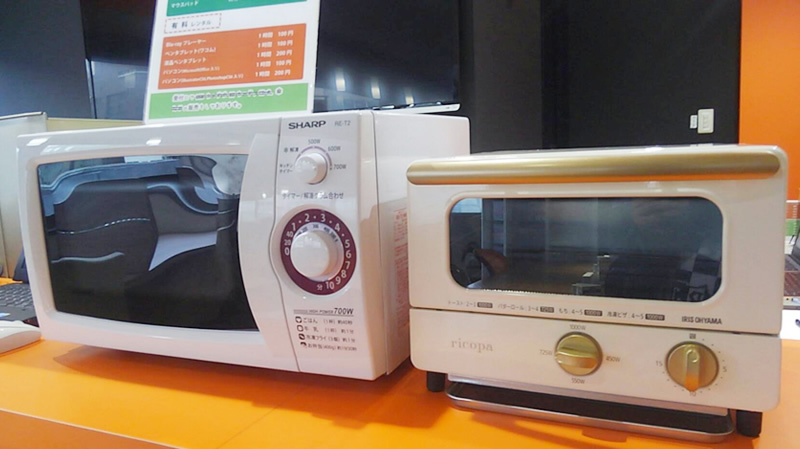
Microwave and oven toaster beside the reception desk -
STEP2
Returns
After use, please bring any leftover drinks in paper cups to the return slot at the left end of the reception desk.
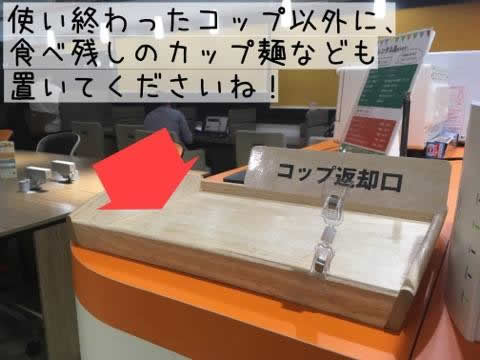
Cup return slot
Reading Material
Magazines and manga are also available for a comfortable stay. ※These magazines and manga may not be taken outside the premises.
-
STEP1
Usage
New manga volumes occasionally arrive.
We also have magazines that Yokalab Tenjin subscribes to regularly.
They are placed in the coworking area and the focus area.
We announce arrivals of magazines and manga from time to time on X, our Facebook page and Instagram, so please check them out.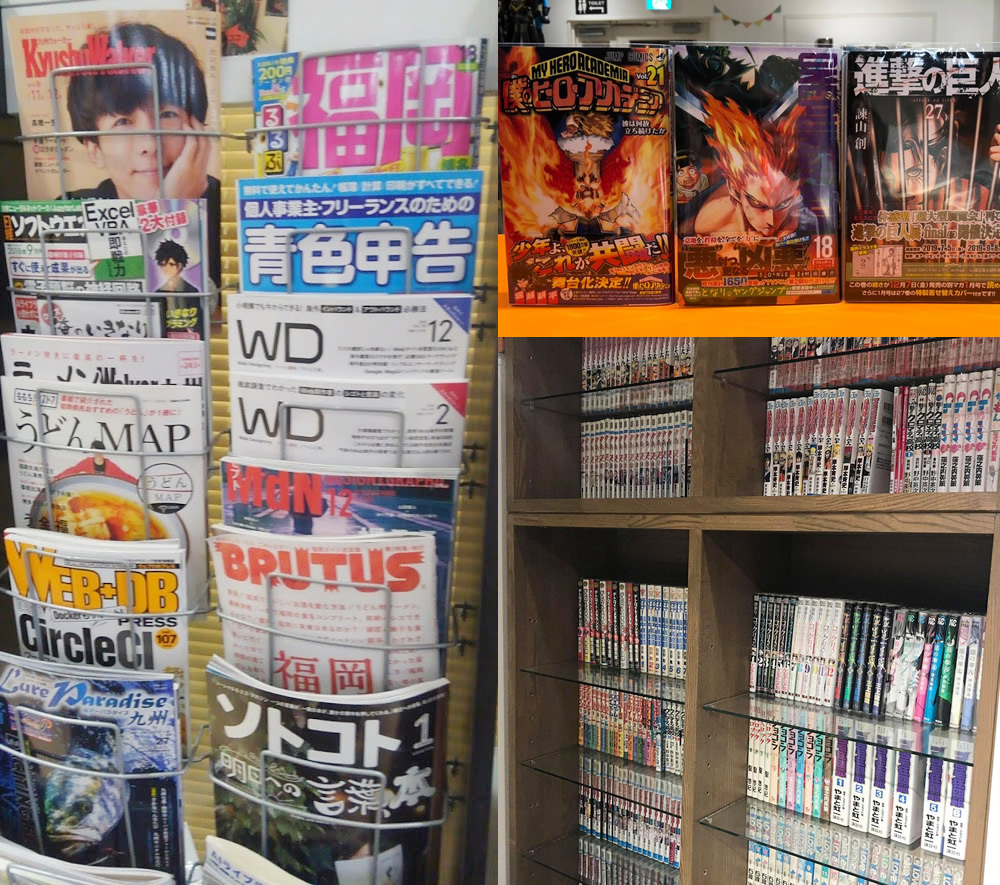
-
STEP2
Returns
When you finish reading a book, please return it to its original place.
Drop-in (Pay-as-you-go)
What to bring on your first visit
-
STEP1
Membership registration
Completing your online pre-registration in advance makes the process at the counter smoother.
- Membership registration (free of charge) is required to use the drop-in service.
- Drop-in use is available for those aged 16 and over (high school students).
- Please bring an identification document.
-
STEP2
Facilities
Our staff will explain the terms of use and provide guidance.
- Please present an identification document.
-
STEP3
Start using
Please keep track of your elapsed time yourself.
- You may step out during your session, but please complete payment before leaving.
-
STEP4
Payment
If your usage exceeds 3 hours, the one-day rate (2,100 yen (tax incl.)) is automatically applied.
- In addition to cash, you can pay by credit card (VISA, MasterCard, American Express) and PayPay.
Monthly Membership
What to bring on your first visit
-
STEP1
Membership registration
Completing your online pre-registration in advance makes the process at the counter smoother.
- Please bring an ID document.
-
STEP2
Contract
Please read the agreement carefully before signing up.
Choose the plan that suits you best from the seven courses: "Full Time," "Weekday Full Time," "Business Time," "Weekday Evenings / Weekends & Holidays," "Weekends & Holidays," "Night" and "Morning."- After presenting your identification document, you will fill in and sign the consent form.
- If the contracting party is a minor (high school student), the consent form requires the signature and seal of a guardian.
- If the contracting party is a minor (junior high school student), the contract can only be made with a guardian present.
- The minimum contract period runs until the end of the month following the month you start using the service.
Those who require a guardian's consent or otherwise wish to prepare the consent form in advance can download it below.
A consent form is available at the store. You can fill it in and sign it when you visit, so preparing it in advance is not required.
Download consent form for high school students and older Download consent form for junior high school students -
STEP3
Payment
Please pay the enrollment fee, deposit and initial monthly fee.
- For a new contract, we will hold a deposit (one month's monthly fee + access card deposit).
- In addition to cash, you can pay by bank transfer (except for the first payment), credit card (VISA, MasterCard, American Express), PayPay and PayPal.
-
STEP4
IC card issuance
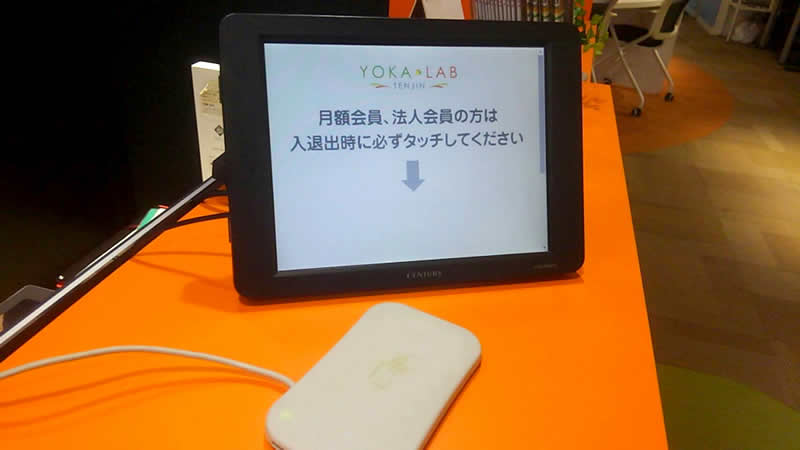
Start usingWith an IC card exclusive to monthly members, you can enter and exit simply by tapping, without checking in at reception.
- Unless you notify us otherwise, your membership renews automatically each month. If you wish to cancel or change your plan, please let us know by the 25th of each month.
Shared Office
What to bring when signing your contract
-
STEP1
Tour & Interview
A tour and an interview are required before signing a contract.
A shared office staff member will assist you.- Please let us know your preferred date and time via the contact form.
- You may decide whether or not to sign a contract at a later date. Please take your time to consider carefully.
-
STEP2
Membership registration
First-time visitors need to register as a member.
Completing online pre-registration in advance makes the in-store procedure smoother.- Please bring an ID document.
-
STEP3
Contract
Please read the agreement carefully before signing.
Download consent form Check fixed-seat availability here
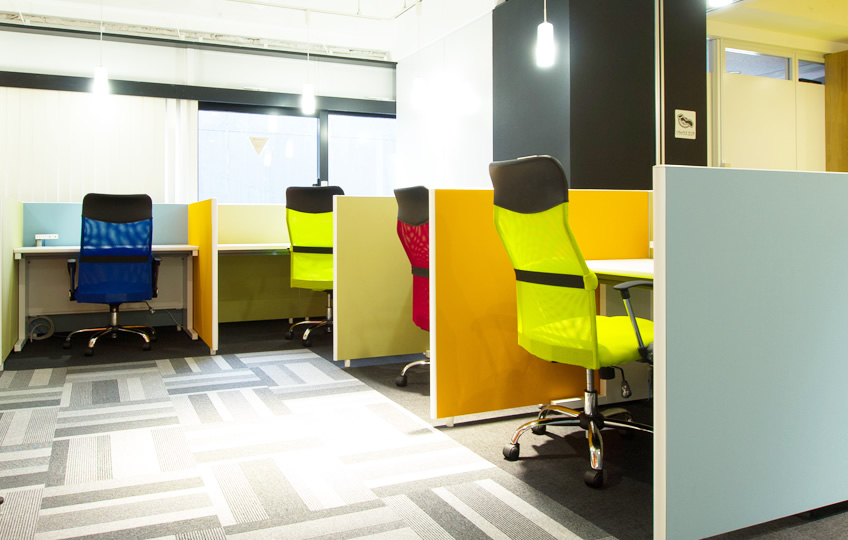
There are two types of fixed seats, "Standard Type" and "L-shaped Wide Type".
The seats available for selection are limited depending on fixed-seat availability, so please be sure to check the current availability. -
STEP4
Payment
Please pay the enrollment fee, initial handling fee, deposit and initial monthly fee.
- For address registration / company registration, please see the Address / Company Registration section.
- For a new contract, we will hold a deposit (one month's monthly fee).
- In addition to cash, you can pay by bank transfer, credit card (VISA, MasterCard, American Express), PayPay, or PayPal.
-
STEP5
Start using
Please come to our reception desk.
We will explain the details of how to use the space.- Unless you notify us otherwise, your membership renews automatically each month. If you wish to cancel, please let us know at least 30 days before your desired cancellation date.
Meeting Room
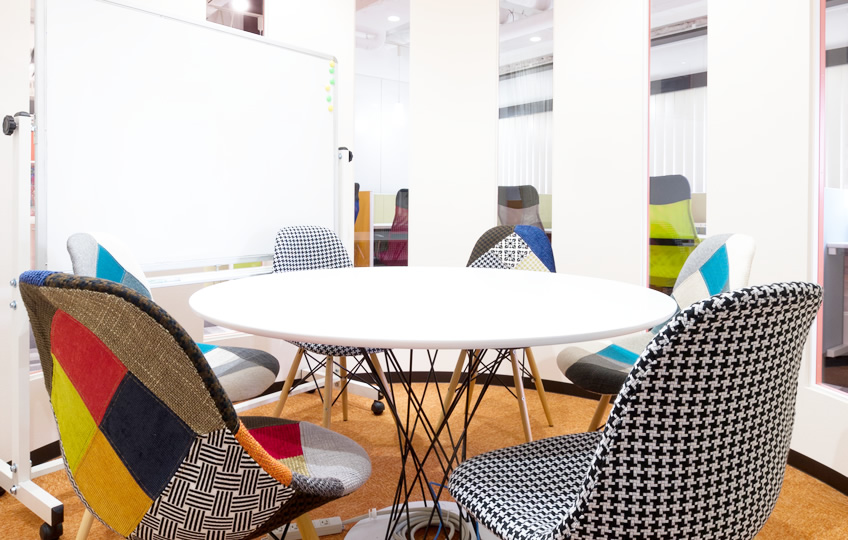
Reservations can be made even 5 minutes before the time you wish to use (as long as space is available).
* Web reservations cannot be accepted for bookings within 2 hours. Please contact the reception desk directly.
-
STEP1
Availability
Please check the availability of the meeting room.
Check availability -
STEP2
Reservation
Please check availability and make your reservation by selecting your preferred date and time from the reservation calendar.
You can use it for up to 2 hours per day.- To use the meeting room, a reservation by the representative is required.
-
STEP3
Start using
Entry is allowed from 10 minutes before your reserved time (only if there is no previous user).
Please note that even if you enter late, the usage fee for your full reserved time will still apply.- Guests must always be accompanied by a member during their visit.
- With the 'Group Plan', you cannot use other areas except the smoking room and restrooms, and the drink bar is not available.
- Usage fees are payable afterward.
-
STEP4
Payment
Please note that a 30-minute extension fee will apply if you exceed the checkout time by more than 5 minutes.
If the representative is a Drop-in member, an additional Drop-in fee will apply for each person.
Monthly members (excluding the Morning and Night courses) and shared-office members receive 1 hour free.- In addition to cash, you can pay by credit card (VISA, MasterCard, American Express) and PayPay.
Communication Area Private Rental
The Yokalab Tenjin communication area is available for private rental for events, seminars, study sessions, social gatherings and more.
Available from 3 hours.
If you would like to use it, please contact us in advance.
-
STEP1
Contact
Please let us know your preferred date and time, duration, purpose, expected number of people and so on via the contact form.
Communication Area Private Rental Inquiry
After checking availability, our staff will contact you. -
STEP2
Confirmation of Details & Reservation
We will confirm your preferred date, time and details of use.
After you review the details and fee, your reservation will be finalized.- Depending on facility availability and the details of use, we may not be able to accommodate your request.
-
STEP3
On the Day
Please come to the Yokalab Tenjin reception desk at your reserved time.
After our staff explains the necessary details, you can use the communication area.- Setup and preparation, as well as cleanup and removal time, are included in your usage time.
-
STEP4
End of Use
Please finish cleanup and removal by the end of your usage time.
Communication Area Private Rental Pricing
If you use the area beyond the scheduled time, an extension fee will apply.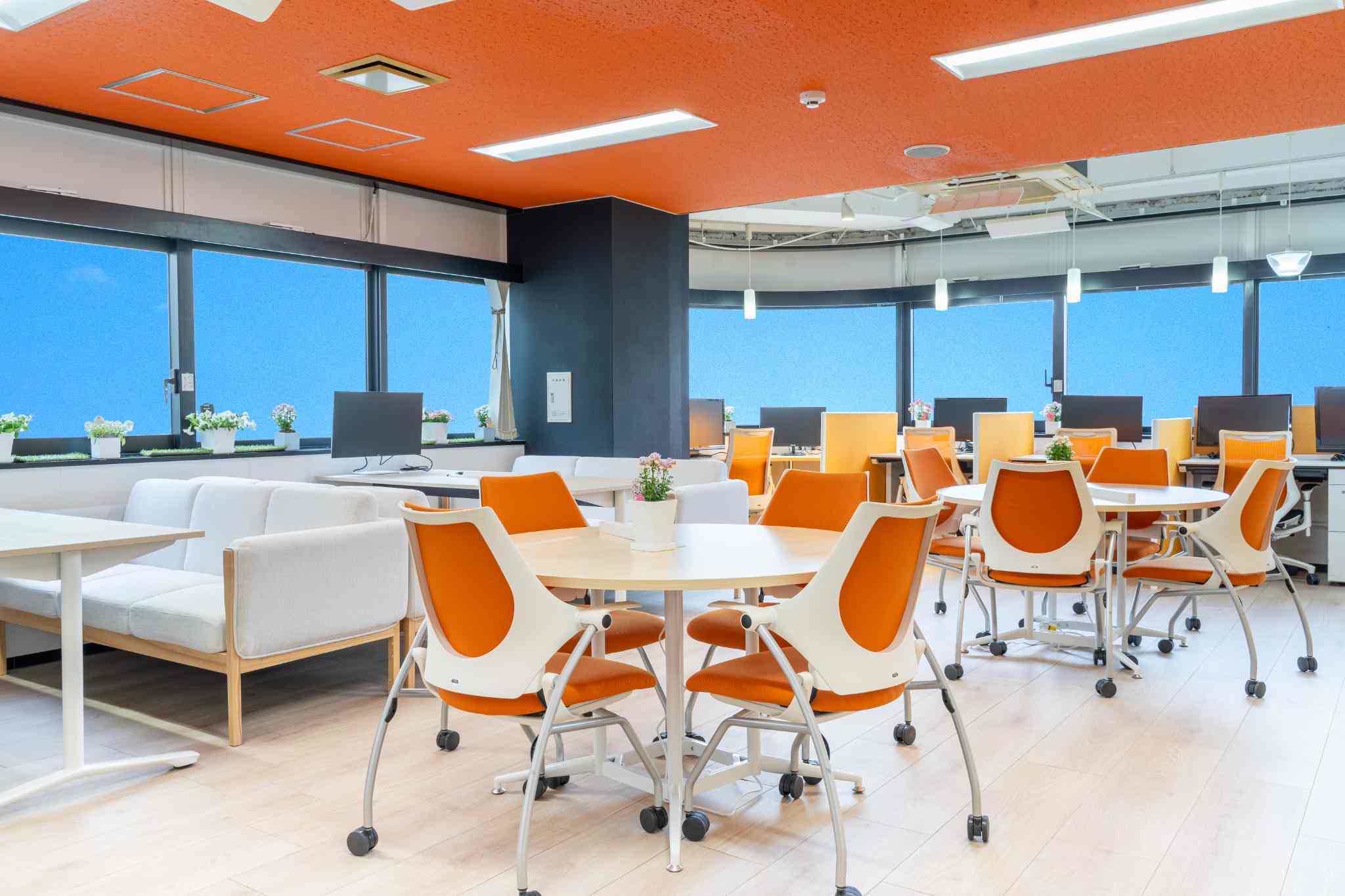

Rental Locker
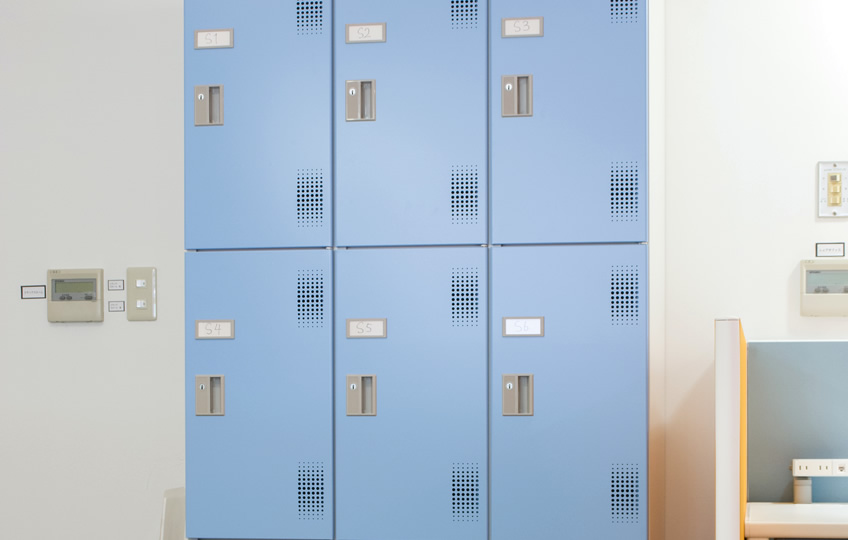
Monthly members can use a rental locker (rented on a monthly basis) to have mail received on their behalf.
-
STEP1
Availability
For rental locker availability, please contact the store reception.
- Rental locker availability is also posted next to the drink bar.
-
STEP2
Contract
If a seat is available, you can sign a contract from that moment.
Please read the agreement carefully before signing.- Rental lockers are available only to monthly members.
- Decide your start date, then fill in and sign the agreement.
-
STEP3
Payment
Rental locker fees and monthly membership fees are billed separately.
- In addition to cash, you can pay by bank transfer (except for the first payment), credit card (VISA, MasterCard, American Express), PayPay and PayPal.
-
STEP4
Usage
The rental locker key will be handed over on your start date.
- Mail received on your behalf will be placed in your rental locker. (Mail receipt proxy service)
- Unless otherwise requested, rental lockers are automatically renewed every month.
- The 'Address Use' option is available only to monthly members on the 'Full Time', 'Weekday Full Time', or 'Business Time' courses who have a rental locker contract.
- To cancel your rental locker, please notify us by the 25th of each month.
- Mail addressed to a member that arrives after cancellation will be refused. Members using 'Address Use' or 'Proxy Mail Receipt' should take particular care.
Multifunction Printer
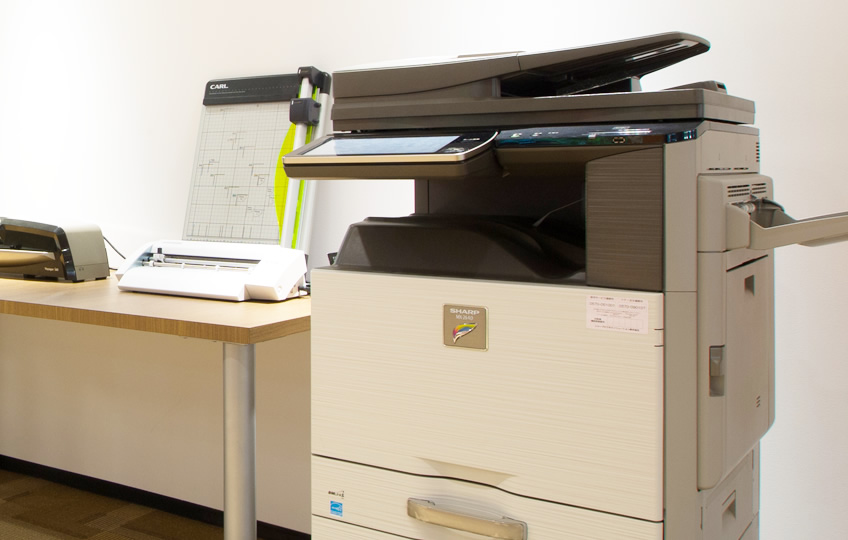
Use the laser multifunction printer for copying, color printing, scanning and fax!
-
STEP1
Notice
Before use, please notify the store reception.
-
STEP2
Usage
You must operate the multifunction printer entirely by yourself.
You cannot bring in your own paper. Please note that we cannot compensate for copy or print errors. -
STEP3
Payment
After use, please report the number of sheets used at the store reception and pay the usage fee.
- In addition to cash, you can pay by credit card (VISA, MasterCard, American Express) and PayPay.
Address / Company Registration
Available only to shared-office members and monthly members on the Full Time, Weekday Full Time, or Business Time plans.
-
STEP1
Notice
Monthly members on the 'Full Time', 'Weekday Full Time', or 'Business Time' courses should apply by email.
Address / Company Registration Inquiry
Shared-office members should apply during their tour or at the time of contract. -
STEP2
Interview
An interview with the person in charge of address / company registration is required.
-
STEP3
Start using
Even while address registration / company registration is in progress, the day you sign the contract becomes your service start date.
After registration is complete, please submit a certified copy of the register. -
STEP4
Payment
Unless you notify us, it will automatically renew every month.
The only payment method is 'Paypal'.- Address / company registration is free for shared-office members.
- Cancellation takes effect after the address change (the procedure to change the registered details).
Please submit a certified copy of the register showing the updated address. - If your company relocates, you must apply for a change of registration at the Legal Affairs Bureau within two weeks of the relocation date.
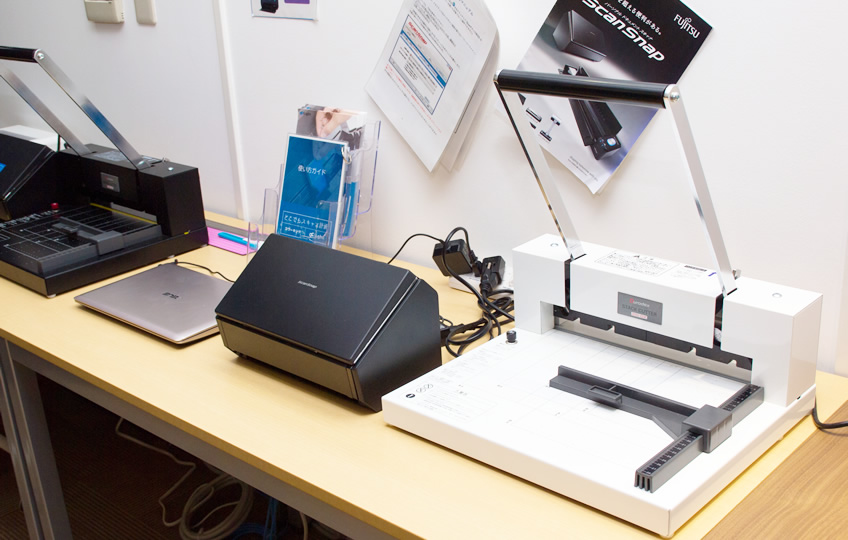
Book Scanning Kit (Cutter & Scanner: supports up to A4 size)
You can use top-quality cutters and scanners to digitize (self-scan) your own books.
-
STEP1
Availability
Please check the availability of the book scanning kit.
Check availability -
STEP2
Reservation
Please apply by selecting your desired date and time from the reservation calendar.
Once your reservation is confirmed, we will contact you by email.- Please be sure to bring a USB flash drive to take your data home.
- We are unable to provide support for saving to media other than USB flash drives.
- Our staff cannot perform the work on your behalf.
- For schedule changes or cancellations, please contact us by phone or by replying to the email we send you.
-
STEP3
Usage
You operate the cutter and scanner entirely by yourself.
- Please be sure to take scanned books and other items home with you. We cannot dispose of them at the store.
-
STEP4
Payment
After use, please pay the usage fee at the store reception.
- In addition to cash, you can pay by credit card (VISA, MasterCard, American Express) and PayPay.
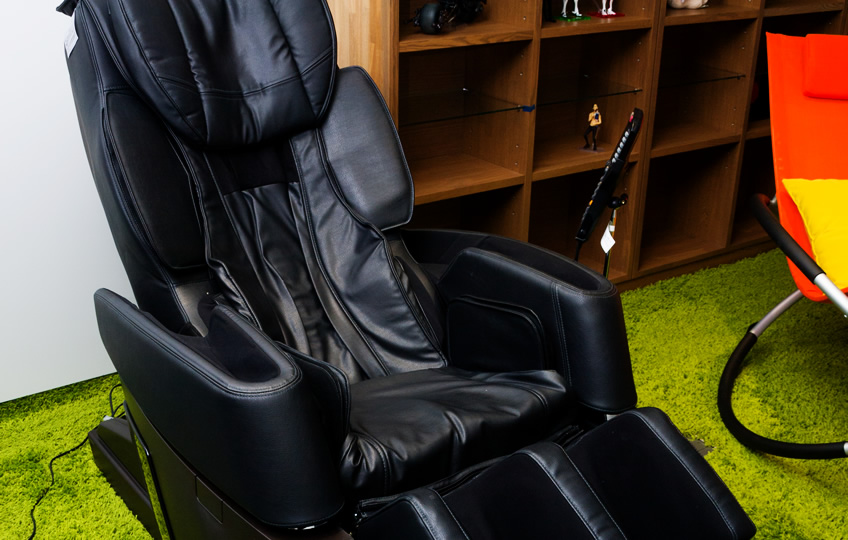
Massage Chair (Cyber-Relax AS-970)
Intensively massages each area from the neck to the buttocks for 7 minutes, thoroughly relieving a body stiffened by long hours in the same posture and easing muscle tension.
-
STEP1
Notice
Please let the store reception know when you would like to use it.
- Please pay the usage fee when you leave Yokalab or when your session ends.
- When you have finished, please let the store reception know.
-
STEP2
Usage
<AS-970 Product Features>
The "Bed Position" lets you fully recline and relax.
《35 varied massage techniques》
Provides massage tailored to the neck, shoulders and lower back.
《21 automatic courses — the most in the industry, including a dedicated 30-minute course》
Equipped with 21 varied automatic courses you can choose according to the day's fatigue and stiffness.
《Full-body air massage with Air Magic》
Strength-adjustable airbags built into the shoulders, arms, waist/pelvis, and legs/soles comfortably compress your whole body.
《The original stretch technique "Power Stretch"》
Equipped with five original stretch functions, including three leg stretches with the new "Knee Stretch" that thoroughly extends the back of the knee, the "Hold Function" for a more intense leg stretch, and the "Swing Stretch Function" for a full-body stretch that links the backrest and legs.
《Double Heater》
Heaters in the lower arms and soles warm the extremities, which are prone to feeling cold, for an effective massage.- When you have finished, please let the store reception know.
-
STEP3
Payment
Please pay the usage fee when you leave Yokalab or when your session ends.
- In addition to cash, you can pay by credit card (VISA, MasterCard, American Express) and PayPay.

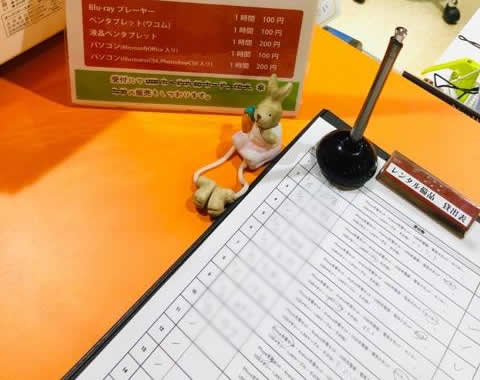
Rental Loan Equipment
These devices and supplies may not be taken outside the store.
-
STEP1
Notice
Please let the store reception know when you would like to use it.
Blu-ray Portable Player GH-PBD100K- Please fill in the loan sheet.
- Please pay the usage fee when you return the item.
- After use, please return the item to the store reception.
-
STEP2
Usage
These devices and supplies may not be taken outside the store.
-
STEP3
Return & Payment
After use, please return it to the store reception.
Please pay the usage fee when you leave Yokalab or when you return the item.- In addition to cash, you can pay by credit card (VISA, MasterCard, American Express) and PayPay.
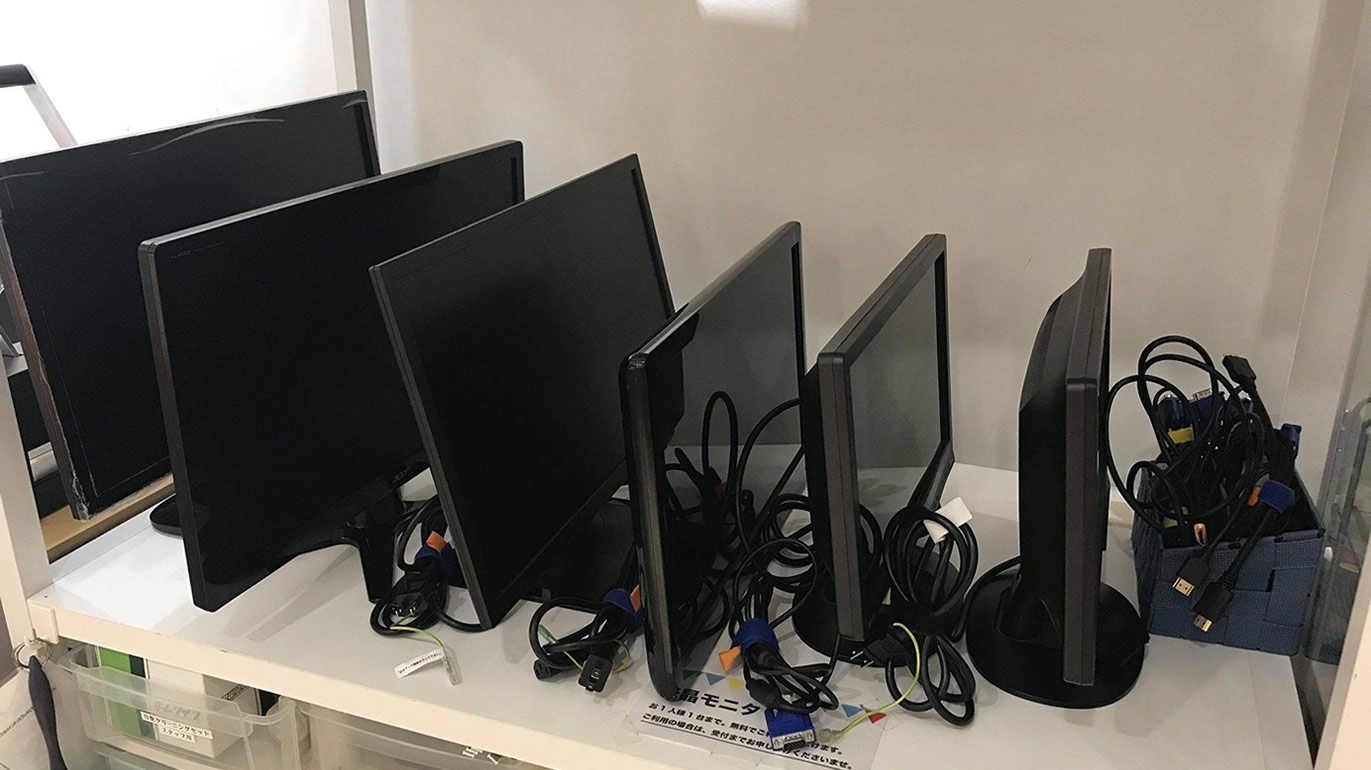
Free Loan Equipment
No worries if you forget peripherals such as a charging cord, LAN cable or mouse! *These devices and supplies may not be taken outside the store.
-
STEP1
Notice
Please let the store reception know when you use them.
We offer free loans of an LCD monitor, mobile phone/tablet charging cables, a USB charger, a LAN cable, a mouse, a mouse pad, a numeric keypad, a Lightning-to-VGA/HDMI adapter, a USB-LAN adapter, a USB Wi-Fi dongle, an external DVD drive, and a luggage basket.- Please fill in the loan sheet.
-
STEP2
Usage
These devices and supplies may not be taken outside the store.
-
STEP3
Returns
After use, please fill in the return check on the store loan sheet and return the item to the loan storage area.
